
Download Configuration Mania – Advanced Firefox Tweaking Tool
Overview
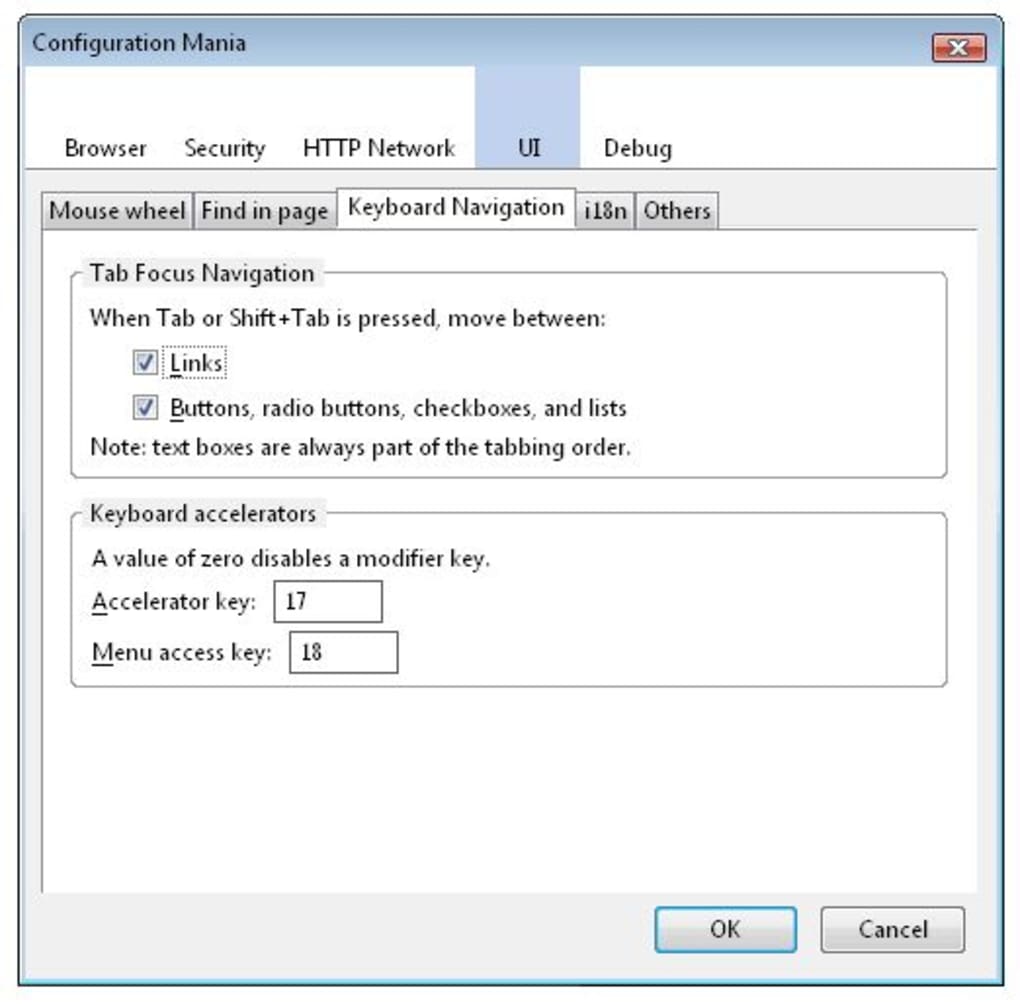
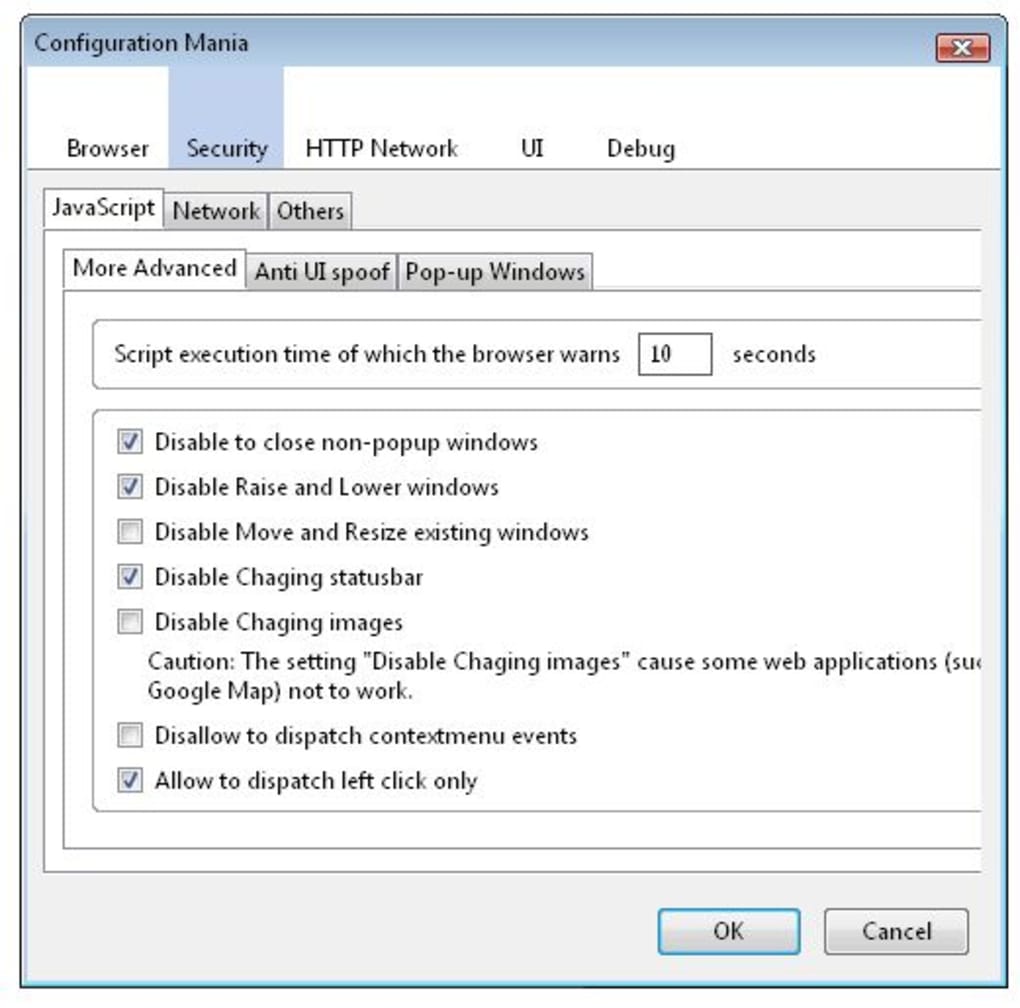
Configuration Mania is a powerful Firefox extension that opens the door to dozens of hidden configuration options that are otherwise inaccessible from the standard about:config menu. Designed for power users, developers, and privacy‑conscious surfers, this tool groups advanced settings into intuitive categories such as Browser, Security, HTTP Network, UI, and Defrag. Each category unfolds into a tree‑like structure, allowing you to quickly locate and toggle preferences without digging through cryptic code snippets. While the core design keeps the interface minimalistic, the extension adds a crucial layer of control for those who want to fine‑tune every aspect of their browsing experience. Whether you aim to boost performance, harden security, or simply customize the look and feel of Firefox, Configuration Mania offers a secure, free, and regularly updated way to explore the full potential of the browser. The extension respects your privacy—no telemetry is sent back to the developer, and all changes are applied locally within Firefox.
Core Features & Benefits
- Comprehensive Category Tree – Settings are organized into five main groups (Browser, Security, HTTP Network, UI, Defrag) with sub‑categories that expand on demand, eliminating the need to scroll endlessly through a flat list.
- One‑Click Toggle – Each hidden preference can be enabled or disabled with a single click, and the current state is clearly indicated by colour‑coded icons.
- Search Functionality – A built‑in search bar lets you locate a specific configuration keyword instantly, saving time compared to manual
about:configbrowsing. - Live Preview – Certain UI tweaks (e.g., tab bar density, toolbar button size) show a real‑time preview before you commit, preventing accidental layout breaks.
- Safety Checks – The extension warns you before changing settings that could compromise security or stability, offering a brief explanation and a revert option.
- Automatic Updates – Configuration Mania checks for new hidden settings after each Firefox update, ensuring you always have access to the latest tweaks.
- Export / Import Profiles – Save your customized configuration as a JSON file and import it on another machine, making it easy to replicate your optimal setup.
- Lightweight Footprint – The extension adds less than 2 MB to Firefox’s memory usage and runs silently in the background without affecting browsing speed.
Installation, Usage & Compatibility
Getting Configuration Mania up and running is straightforward. Follow these steps to download, install, and start tweaking your Firefox browser:
- Download the Extension – Visit the official Mozilla Add‑ons page and click the “Add to Firefox” button. The download is free, secure, and verified by Mozilla’s review process.
- Grant Permissions – After the download completes, Firefox will ask for permission to access your
about:configsettings. Approve the request to enable the extension’s full functionality. - Restart Firefox (if prompted) – Some changes may require a short restart. The extension will display a notification if a restart is needed.
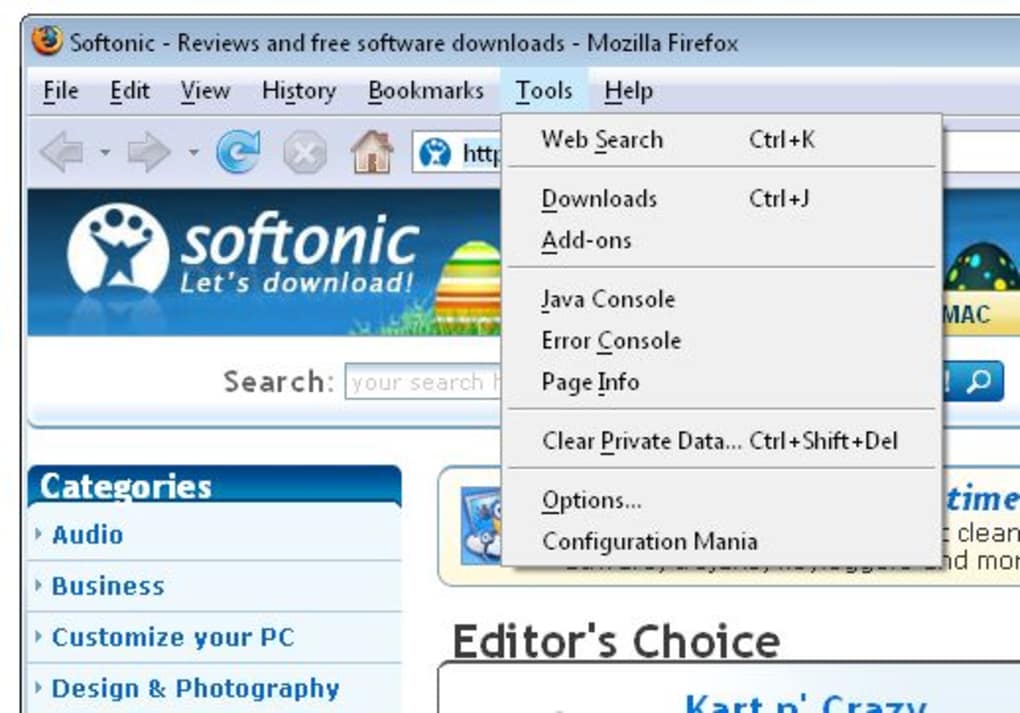
- Open Configuration Mania – Click the new toolbar icon (a gear symbol) to launch the interface. The main window presents the five top‑level categories mentioned earlier.
- Navigate the Tree – Expand a category to reveal sub‑settings. Hover over each option to see a tooltip explaining its purpose, default value, and potential impact.
- Toggle Settings – Click the toggle switch next to any preference to enable or disable it. Changes take effect immediately for most options; a few may require a page reload.
- Use Search & Filters – Type a keyword into the search bar at the top to filter the list instantly. You can also apply filters to show only “Security‑related” or “Performance‑related” settings.
- Save Your Profile – Once you’ve curated your ideal configuration, go to File → Export Profile and store the JSON file in a safe location. Import it later via File → Import Profile.
Compatibility: Configuration Mania works with Firefox 78 and newer on Windows 10/11, macOS 10.15+, Linux distributions, as well as the Firefox for Android variant (the mobile UI adapts to a simplified list view). The extension is not compatible with Firefox ESR < 78 or with legacy browsers such as Internet Explorer.
Regular updates are pushed through the Mozilla Add‑ons platform, ensuring that the extension remains compatible with the latest Firefox releases and that new hidden preferences are added as they become available.
Pros, Cons & Frequently Asked Questions
Pros
- Extensive access to hidden Firefox settings that improve performance and security.
- User‑friendly tree navigation reduces the learning curve compared to raw
about:config. - Built‑in safety warnings prevent accidental misconfiguration.
- Free, open‑source, and regularly updated through Mozilla’s trusted channel.
- Export/import feature makes it easy to replicate settings across devices.
Cons
- The top toolbar contains unused white space, which some users find visually unappealing.
- Deep sub‑categories may require scrolling, especially on low‑resolution screens.
- Advanced options can be overwhelming for beginners; a short tutorial is recommended.
- Not all hidden settings are safe for every environment; enterprise users should test changes in a sandbox first.
FAQ
Is Configuration Mania free to use?
Yes, the extension is completely free. It is distributed through the official Mozilla Add‑ons store, which guarantees that you receive a secure and unmodified version.
Will the extension collect my browsing data?
No. Configuration Mania operates locally within Firefox and does not transmit any data to external servers. All changes are stored in your browser profile.
Can I revert changes if something goes wrong?
Absolutely. Each toggle includes a “Reset to default” button, and you can also import a previously saved JSON profile to restore a known‑good configuration.
Does the extension work on Firefox for Android?
Yes, a mobile‑optimized version is available. The UI is simplified to a list view, but all core categories and toggles remain functional.
How often is Configuration Mania updated?
Updates are released whenever Firefox adds new hidden preferences or when security patches are needed. You’ll receive notifications through the Mozilla Add‑ons interface.
Conclusion & Call to Action
For users who demand granular control over every facet of Firefox, Configuration Mania is the definitive companion. It bridges the gap between the browser’s built‑in configuration menu and the cryptic world of hidden about:config entries, delivering a secure, free, and regularly updated experience. While the UI could benefit from a more polished toolbar and less scrolling, the functional depth more than compensates. Whether you’re a developer fine‑tuning performance, a privacy advocate tightening security, or a power user who simply loves to explore, this extension empowers you to shape Firefox exactly the way you want.
Ready to take command of your browser? Download Configuration Mania now, install it in seconds, and start experimenting with hidden settings that can make Firefox faster, safer, and truly yours.
Configuration Mania delivers a robust set of hidden Firefox tweaks in an easy‑to‑navigate package. Its safety warnings and export feature make it suitable for both enthusiasts and cautious users alike. Minor UI quirks aside, the extension earns a solid 4.5‑star rating.







